
0125 min
Microsoft Clarity for CROFree course with certificate
After this course you see what users really do and turn it into tests.
- 4 lessons
- 100 min
- 0 €
No credit card, no subscription.
JDKRUEGER Academy · Certificate
Microsoft Clarity for CRO
awarded to
MAX MUSTERMANN
- Frame Clarity correctly
- Read recordings
- Test insights
4 lessons · 100 min
Your result
What you will be able to do after this course
- Place Microsoft Clarity as a qualitative complement to GA4
- Read session recordings without phantom patterns
- Use heatmaps and scrollmaps as diagnostic tools
- Pipe insights into an experiment pipeline
Is this for you?
Who this course is for
For you if
- You work with an online shop or its marketing and want measurable results.
- You want to work on conversion systematically instead of copying individual tactics.
Not for you if
- You are looking for a how-to for a single tool.
Curriculum
Start the course
4 lessons, 100 minutes
Every lesson has its real duration and ends with a quiz.0225 min
Reading Session Recordings the Right Way
0325 min
Heatmaps and Scrollmaps
0425 min
From Clarity Insights to the Experiment Pipeline
After all quizzes and the final exam you receive the certificate as a PDF.
Your instructor
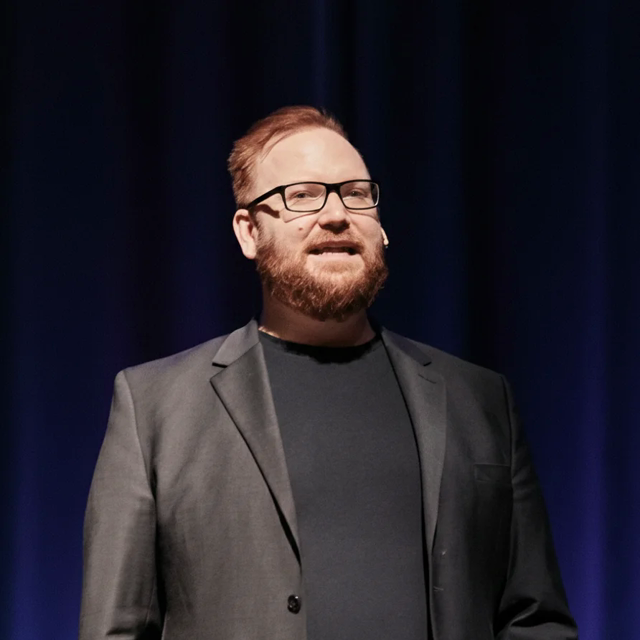
Jörg Dennis Krüger
Founder, JDKRUEGER&CO · Der Conversion Hacker®
Jörg Dennis Krüger has been optimising online shops for revenue since 2006. This course contains the approach his team tests and measures with for clients every day.
- EUR 210m+Additional revenue for clients since 2012
- since 2006in conversion optimisation
- Stevie® Goldmultiple award winner
About the course
Understand qualitative behavioral data and turn it into a systematic testing pipeline
Was der Kurs behandelt
Use Microsoft Clarity to make real user behavior visible: session recordings, heatmaps, scroll maps, and a pipeline from insights to validated improvements.
Questions
Frequently asked questions
What does the course cost?
Nothing. Course, quizzes and certificate are free.
How long does the course take?
4 lessons totalling 100 minutes. You learn at your own pace and resume where you left off.
Do I need prior knowledge?
Basic online-marketing knowledge is enough.
How do I get the certificate?
Every lesson ends with a quiz. Pass all quizzes and the final exam to receive the "Microsoft Clarity for CRO" certificate as a PDF.
Who is behind the Academy?
Jörg Dennis Krüger and JDKRUEGER&CO. The Academy contains the approach the team has used to optimise online shops for years.
Does the course apply to my shop system?
The principles apply to any shop system. You work with page types and metrics every shop has.
Lesson 1 takes 25 minutes.
Afterwards you can see what users really do.