JDKRUEGER&COAcademySign inDE
Module 2 of 4 · Microsoft Clarity for CRO

Reading Session Recordings the Right Way

⏱ 25 min · After completing this module, you'll know how to watch session recordings with purpose instead of browsing at random: you'll prioritize the right recordings (near-buyers, engagement without conversion, underperforming segments), recognize the four core patterns (rage/dead clicks, back-and-forth scrolling, quick drop-offs, repeated form entries), and ask your team for aggregated, quantified patterns rather than individual videos.
← Microsoft Clarity for CRO Reading Session Recordings the Right Way 1 / 23
continuing in 5
Start

Reading Session Recordings Correctly

How to extract patterns from individual user videos that shift your CRO priorities.

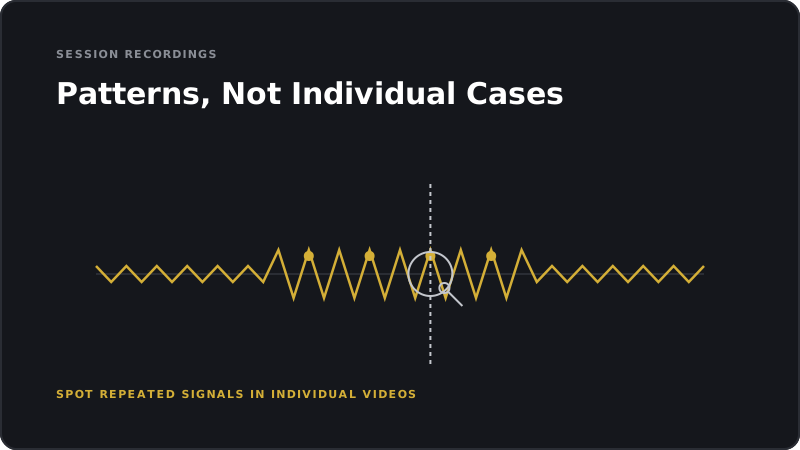
Patterns, Not Individual Cases
Transcript of this slide

In this module, you'll learn how to request the patterns you need from your team and interpret them as a decision-maker.

Learning objective

Learning Objective

You'll know which recordings are worth your attention and which you can safely ignore.

  • You'll recognize typical behavioral patterns in session recordings.
  • You'll define clear requirements for your team to run efficient recording analyses.
1
Filter recordings
2
Identify patterns
3
Define requirements
Transcript of this slide

After this module, you'll no longer see session recordings as an endless video stream. You'll see them as a targeted source of patterns and hypotheses.

Concept

The Problem with Random Recordings

A single video shows you one user, not your target audience.

  • Without filters and pattern recognition, you end up with anecdotes instead of insights.
  • Session recordings only become valuable when you search with purpose.
Anecdote vs. Pattern
Transcript of this slide

Many shop owners watch random videos and draw conclusions from them. That's dangerous. Individual videos are observations, not evidence. It's only when you aggregate many videos that patterns emerge.

Concept

How to Prioritize Recordings

Priority one: users who came close to purchasing but dropped off.

  • Priority two: users with high engagement but no conversion.
  • Priority three: users from underperforming segments, such as mobile or specific traffic sources.
1
Near-buyers
2
Engaged non-buyers
3
Underperforming segments
Transcript of this slide

This prioritization helps your team find the most valuable videos. The goal isn't to watch as many videos as possible. It's to watch the right ones.

Example

Example: The Quick Drop-Off After the Product Image

Multiple users open the product detail page, scroll briefly, and bounce back.

  • The pattern: they can't find the information they need fast enough.
  • The hypothesis: the most important product information is too far down the page or unclear.
Quick Drop-Off on the Product Detail Page
Transcript of this slide

This pattern is a classic. Users arrive with an expectation and leave the moment that expectation isn't met quickly. The fix usually lies in information architecture, not design.

Concept

The Most Important Patterns in Recordings

Rage clicks and dead clicks: the user expects a response but doesn't get one.

  • Back-and-forth scrolling: the user is looking for something and can't find it.
  • Quick drop-off: the page doesn't meet the user's expectation.
  • Repeated form entries: there's a validation or comprehension issue.
1
Rage clicks
2
Back-and-forth scrolling
3
Quick drop-off
4
Form issues
Transcript of this slide

These four patterns cover the majority of conversion problems. When your team spots these patterns in recordings, you have a clear hypothesis ready for a test.

Scenario

Scenario: The Suspected Bug

A recording shows a user clicking a button repeatedly with no response.

  • First assumption: the button is broken.
  • After reviewing more recordings, it turns out only mobile users with a slow connection experience the problem.
Single Finding vs. Pattern Diagnosis
Transcript of this slide

This scenario shows why patterns matter. A single user might have a bug, a browser issue, or simply be having a bad day. Multiple users showing the same pattern point to a real problem.

Concept

Requirements for Your Team

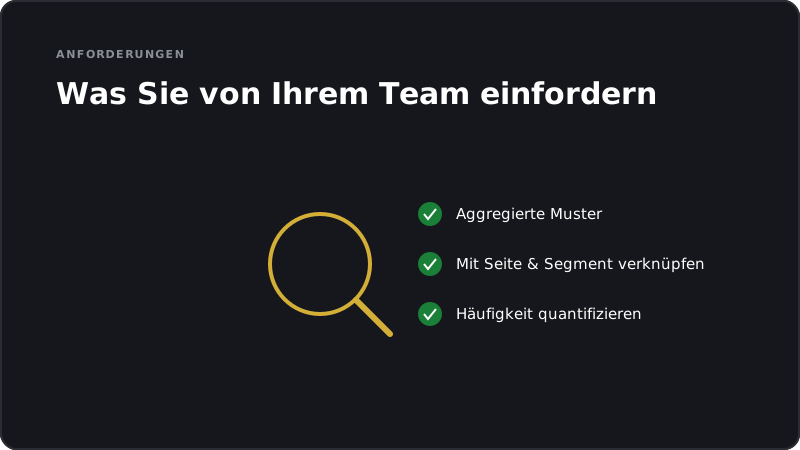
Don't deliver individual videos. Deliver aggregated patterns with frequency data.

  • Link every pattern to a page, a segment, and a hypothesis.
  • Quantify the pattern: how many users show it, and what revenue potential is at stake?
Requirements for Recording Analyses
Transcript of this slide

These requirements make recording analyses actionable for you. They prevent your team from spending hours on videos only to deliver anecdotes at the end.

Exercise

Exercise: Your Recording Requirements Template

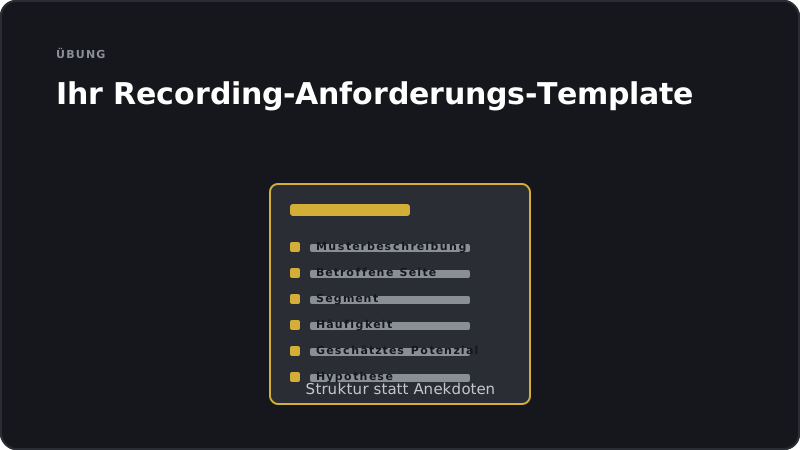
Develop a short template for your team: what information should be delivered for every pattern they find?

  • At minimum: pattern description, affected page, segment, frequency, estimated potential, and hypothesis.
  • Test the template against a real or suspected pattern in your shop.
Template for Pattern Reports
Transcript of this slide

This exercise moves you from passive observation to active management.

Concept

When Are Recordings Not Enough?

Recordings show behavior, but not the motivation behind it.

  • Recordings can't prove which variant performs better.
  • For root causes and evidence, you'll need additional methods: surveys, tests, and interviews.
Recordings show. Other methods explain.
Transcript of this slide

Recordings are a powerful tool, but they have limits. They show you the what, not the why. That's why you should combine them with other methods, especially A/B testing for validation.

Example

Case Study: The Hidden Form Field

Recordings reveal that users scroll back and forth multiple times between the address input and the payment selection.

  • The scrollmap confirms it: an important form field is hidden behind the keyboard on mobile.
  • The test moves the field higher up and reduces checkout abandonment.
Scroll Problem in Checkout
Transcript of this slide

This case study shows what combining recordings with a scrollmap looks like in practice. Together, they paint a clear picture. The test then validates the solution. That's the ideal Clarity workflow.

Common misconception

Misconception: 'One Video Is Enough as Proof'

Fact: Individual videos are observations, not evidence.

  • A problem is only systematic when multiple users show the same pattern.
  • Never allocate budget based on a single recording alone.
Observation vs. Evidence
Transcript of this slide

This misconception leads to costly misjudgments. A single user can do almost anything. Only a pattern repeated across many users justifies taking action or running a test.

Concept

The Sampling Question with Recordings

Clarity doesn't capture every user. Depending on your traffic, it only records a share of sessions.

  • For rare events, you may find only a handful of recordings available.
  • Always check the total population before treating a pattern as representative.
Captured 25 (25%) Not captured 75 (75%)
Transcript of this slide

Sampling is an important factor in Clarity. A pattern seen in five recordings is a very different thing from a pattern seen in five hundred. Make sure your team accounts for the total population.

Concept

From Pattern to Test Hypothesis

Step one: Describe the pattern. What are we seeing repeatedly?

  • Step two: Hypothesize a cause. Why is it happening?
  • Step three: Define a solution. What could fix it?
  • Step four: Design a test. How do we prove it?
1
Pattern
2
Cause
3
Solution
4
Test
Transcript of this slide

These four steps are your workflow. They take you from qualitative observation to quantitative validation. Without this workflow, recordings are nothing more than a collection of anecdotes.

Concept

The Decision-Maker's Role

You define which pages and segments get analyzed.

  • You assess whether a pattern is economically significant enough to warrant a test.
  • You decide when a pattern is sufficiently documented to commit budget.
1
Prioritize
2
Evaluate
3
Approve
Transcript of this slide

Your role isn't to watch videos. Your role is to manage the process and make business decisions. Recording analysis is a team tool; the decision is yours.

Summary

Summary

Session recordings deliver value when they're filtered and aggregated with purpose.

  • Common patterns: rage clicks, back-and-forth scrolling, quick drop-offs, and form issues.
  • Individual videos are observations. Only patterns justify running tests.
1
Filter
2
Pattern
3
Hypothesis
4
Test
Transcript of this slide

The key takeaway from this module: recordings are a hypothesis tool, not a proof tool. Their value only emerges through aggregation and connection to tests.

Summary

Your Key Takeaways

Ask your team for aggregated patterns, not individual videos.

  • Have every pattern documented with page, segment, frequency, and potential.
  • Always connect qualitative patterns to a planned test.
From Video Stream to Test Pipeline
Transcript of this slide

These three habits turn session recordings into a strategic asset. Aggregate, document, test. That's the formula.

Intermediate step

What's Next

The next module covers heatmaps and scrollmaps - how to derive decisions from aggregated click and scroll data.

Next Module: Heatmaps and Scrollmaps
Transcript of this slide

In the next module, we'll go deeper into aggregated visualizations. Heatmaps and scrollmaps are often faster to read than recordings, and they're just as valuable for generating hypotheses.

Quiz

Quiz

Test your knowledge.

What is the most important benefit of session recordings?

Why should you search recordings with a specific goal rather than watching them randomly?

What do rage clicks mean in the context of Clarity?

What data privacy rule applies when using recordings?

Why should decision-makers focus on patterns rather than individual cases?

Exercise

Exercise

Apply what you have learned right away.

  • 1
    Create a pattern template
    worksheet · approx. 20 min
    Create a template your team fills out for every recording analysis: pattern, affected page, segment, frequency, estimated revenue potential, hypothesis, proposed test. Try it out on a pattern you already suspect exists in your shop.
  • 2
    Recording prioritization
    audit · approx. 15 min
    Decide with your team which user groups to prioritize in Clarity: near-buyers, engaged non-buyers, or users from underperforming segments. Back up your choice with a business case.
Reflection

Reflection

A quick look back before you continue.

  • Which behavioral pattern have you suspected in your shop for a long time but never confirmed across multiple recordings?
  • How many recordings showing the same pattern would you need before committing budget to it, rather than trusting a single video?
  • What specific brief (page, segment, frequency, potential, hypothesis) would you give your team to make sure you get aggregated patterns instead of individual videos?

Overview & learning objective

This module is aimed at shop owners.

After completing this module, you'll know how to watch session recordings with purpose instead of browsing at random: you'll prioritize the right recordings (near-buyers, engagement without conversion, underperforming segments), recognize the four core patterns (rage/dead clicks, back-and-forth scrolling, quick drop-offs, repeated form entries), and ask your team for aggregated, quantified patterns rather than individual videos.

Prerequisites: Clarity as a Behavioral Lens
Reading Session Recordings Correctly